Features / Passwords Reuse Prevention
Prevent Reusing the Same Passwords
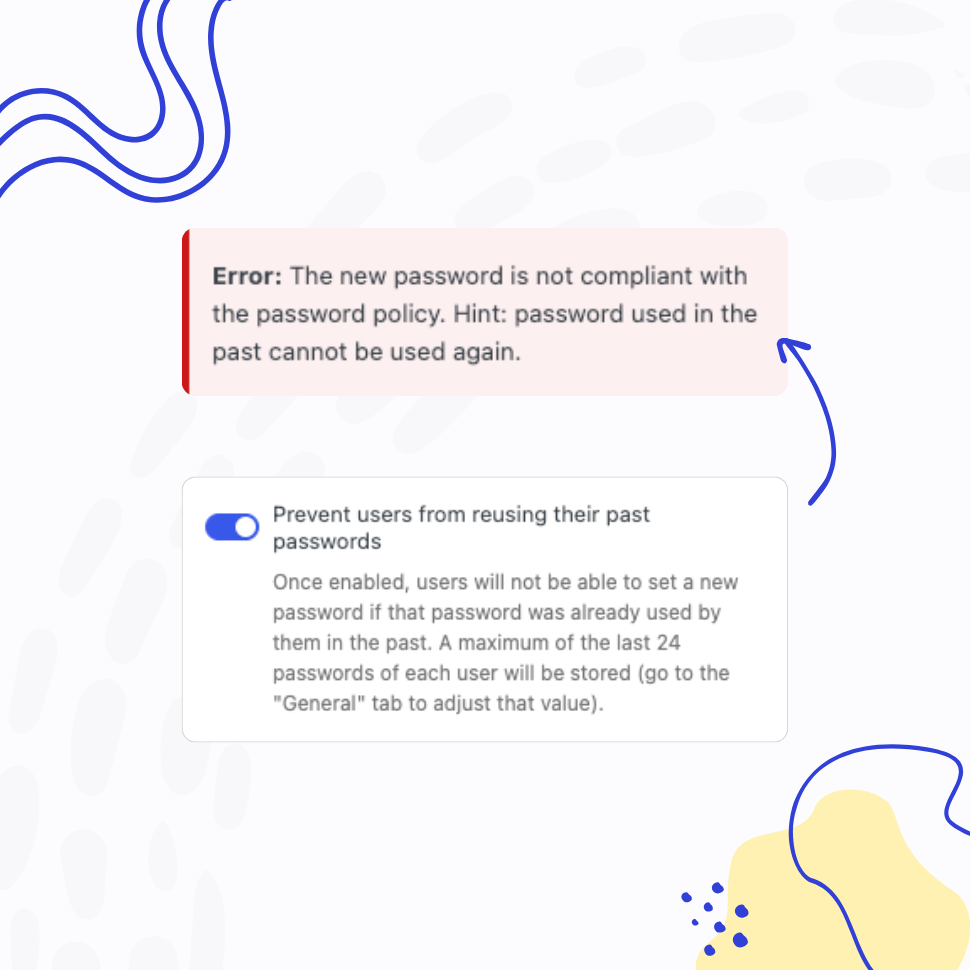
Ensure users create a completely new password instead of reusing old, “favorite” ones.
- Promote healthy password practices
- Reduce the risk of compromised passwords
You’re fully covered by our 30-day risk-free money-back guarantee.
Secure Solution
Carefully Built with Security Considerations in Mind
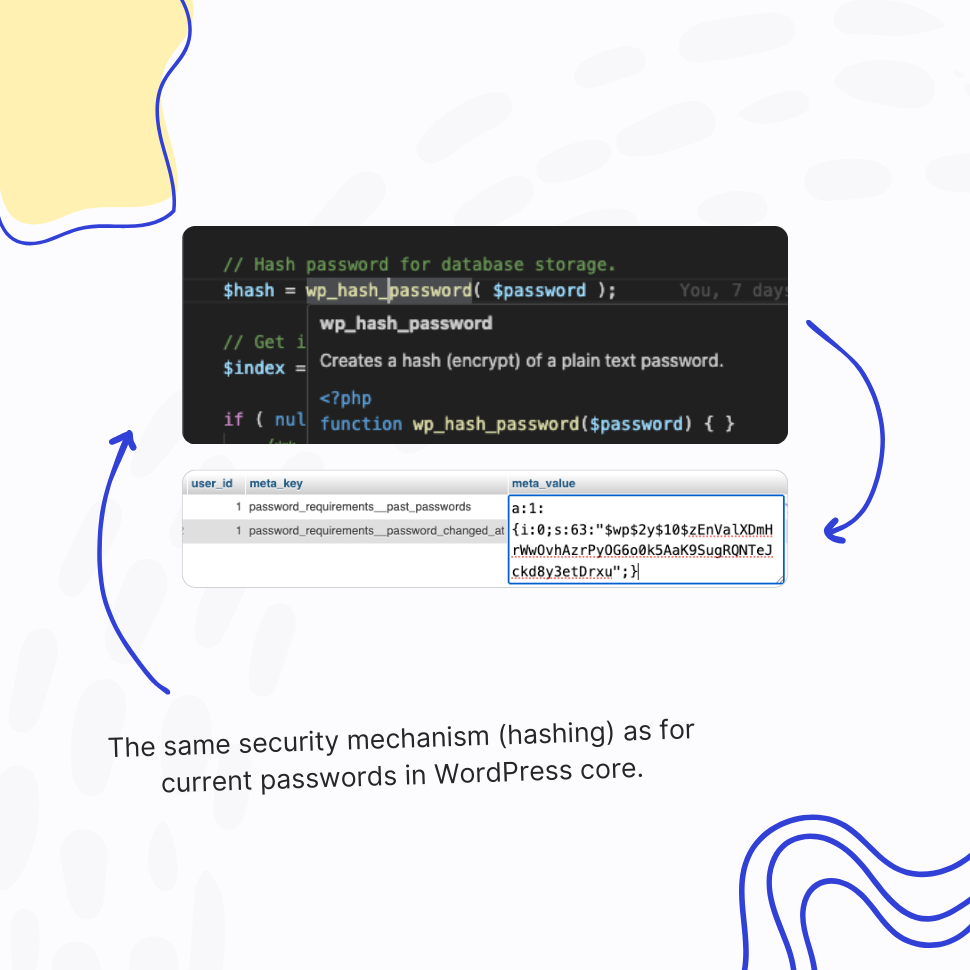
Past passwords are stored in user meta table in your WordPress database, using the same security mechanism (hashing) as for current passwords in WordPress core.
To recognize whether it’s a password reuse attempt, the plugin compares new hash with old hashed passwords.
Fully Configurable
Adjust the Configuration to Meet Your Unique Needs
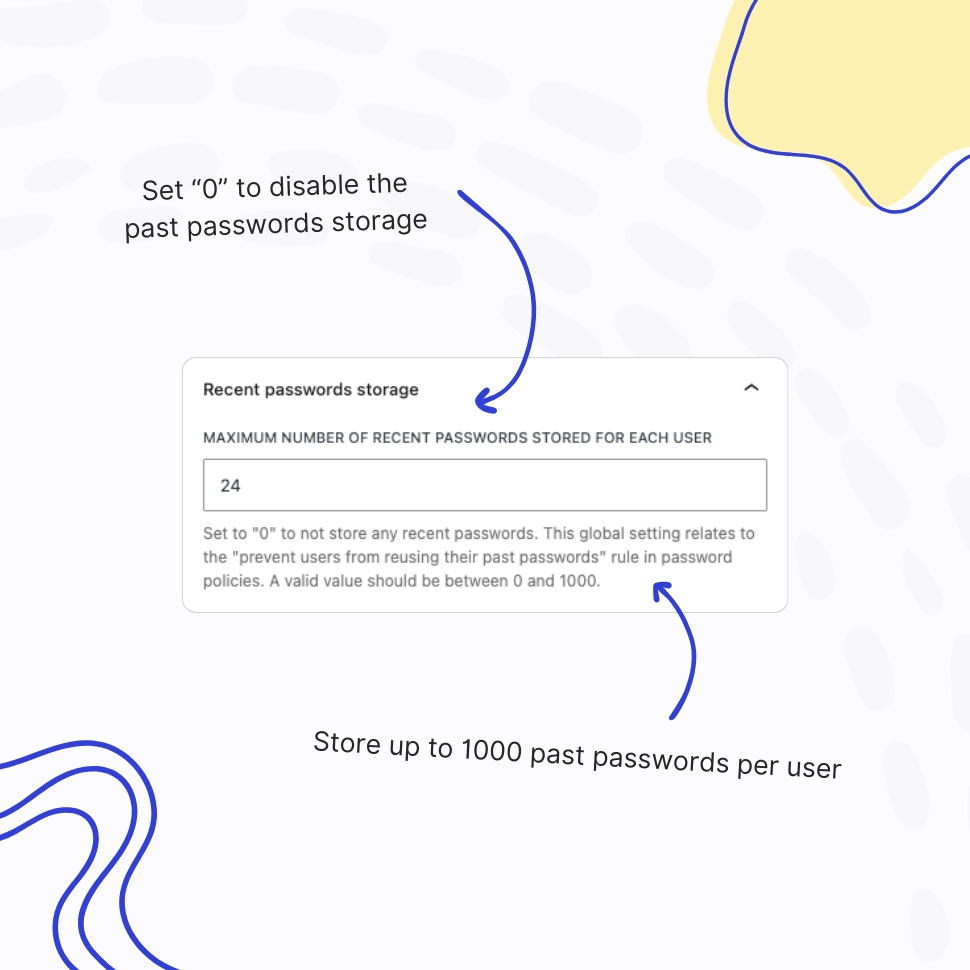
Turn this feature off by setting “Maximum number of recent passwords stored for each user” to “0” (zero), or put a higher value if you want to prevent passwords reuse for a longer period of time.
Why Preventing Password Reuse Matters?
Password reuse occurs when users repeatedly use the same passwords across multiple accounts or over time. This practice significantly increases security risks, making it easier for cybercriminals to exploit stolen credentials.
To enhance security, organizations implement policies that prevent users from reusing old passwords, ensuring continuous protection against unauthorized access.
Security Benefits of Preventing Password Reuse
1. Mitigates Credential Stuffing Attacks: Hackers use stolen credentials from one breach to access multiple accounts. By enforcing unique passwords, organizations minimize this risk.
2. Reduces the Impact of Data Breaches: If a password is compromised, password history stops that same credential from being set again on your site – so a forced reset produces a genuinely new password rather than the old one back.
3. Encourages Stronger Password Practices: Users are forced to create new, unique passwords regularly, reducing the likelihood of weak or predictable credentials.
4. Supports Recognized Security Standards: PCI DSS Requirement 8 specifies password history for accounts in scope, and many corporate security policies carry the same control.
5. Lowers the Risk of Insider Threats: Employees or malicious insiders cannot exploit previously known passwords to regain access after leaving an organization.
6. Improves Overall Cyber Hygiene: By preventing reuse, businesses encourage users to adopt better password management habits, such as using password managers and generating strong, unique credentials.
How Password Reuse Prevention Works
1. Password History Enforcement: This plugin stores a history of previously used passwords in the user meta in your WordPress database, using the same hashing method as WordPress core uses for current passwords. New password is then compared against the list of old passwords, and if match is found, plugin prevents users from using the old password again.
2. Minimum Password Age Policies: This plugin can enforce a waiting period before a password can be changed again to prevent users from quickly cycling through old passwords. See the Healthy Passwords Retention feature for more details.
3. Automated Checks and Alerts: This plugin can detect and block previously used passwords, notifying users if their new selection match an old one.
Best Practices for Organizations & conclusion
1. Enforce Strong Password Policies: Require a mix of uppercase, lowercase, numbers, and special characters.
2. Educate Users on Security Risks: Regularly train employees and customers about the dangers of password reuse.
3. Promote the Use of Password Managers: Encourage users to store and generate strong, unique passwords securely.
Preventing password reuse is a crucial security measure that helps protect sensitive information, reduces the risk of credential-based attacks, and strengthens overall cybersecurity. By enforcing strict password policies and educating users, organizations can significantly improve security posture and safeguard against evolving cyber threats.
Features
Explore These Powerful Features Next
Discover the features offered by the Teydea Login Security plugin for WordPress.
Vendor-Default Account Scanner
Automatically scan your site for default or admin-style usernames and unchanged display names, then review and fix the risky accounts attackers target first.
Pwned Passwords Integration
Screen every password against the Have I Been Pwned database of breached credentials, blocking passwords already exposed in known data breaches.
Password Complexity Enforcement
Ensure user passwords include uppercase and lowercase letters, digits, special characters, and unique (non-repeated) characters – while limiting consecutive symbols from the user’s name.
Dedicated Policies by User and/or Role
Apply password policies to specific users by username or user role. Create dedicated password policies for vendors, freelancers, or users with higher permissions – giving you complete control over your security settings.
Customizable Password Policy Rules
Easily tailor password policy rules to meet your organization’s security needs. Enable or disable specific rules and adjust all settings with flexibility.
Healthy Passwords Retention
Ensure your website’s security by defining clear password retention rules, reducing the risk of compromised accounts.
Restricted Passwords List
Ensure users avoid weak passwords such as “admin,” “password,” or “johnny123.” Use the predefined list provided by this plugin and freely adjust it to meet your specific needs.
AI Integration
Connect your WordPress site to AI assistants like Claude, ChatGPT, or any MCP-compatible tool and manage your password policies through simple, conversational commands.
Easy Setup & Configuration
Set up password policies in just a few clicks – no complex configurations required. With preconfigured defaults, you’re ready to go in minutes.
Passwords Reuse Prevention
This feature prevents users from reusing previous passwords, requiring them to create a completely new one instead of relying on their favorite.
Compliance Disclaimer
This page discusses how Teydea Login Security relates to password security requirements in widely recognized frameworks. References to these frameworks are provided for informational purposes only and are not legal, regulatory, or compliance advice.
Compliance with any specific framework is determined by the totality of your organization’s controls, documented policies, training, monitoring, and independent assessment by qualified auditors – not by any single product or feature. Teydea Login Security provides technical password controls that can support a broader compliance program; it does not certify compliance and does not substitute for a qualified compliance assessment.
Specific requirements vary by framework version, by industry, by jurisdiction, and by the scope of your assessment. You should consult a qualified compliance professional, auditor, or attorney for guidance specific to your organization. Teydea Studio, the publisher of Teydea Login Security, makes no representation or warranty that use of this product alone will result in compliance with any standard, regulation, or law.
Teydea Login Security is an independent product and is not affiliated with, endorsed by, or sponsored by any of the third-party products, standards organizations, or government agencies referenced on this page.