Documentation / Customizing Under-Form Links
Customizing Under-Form Links
Overview
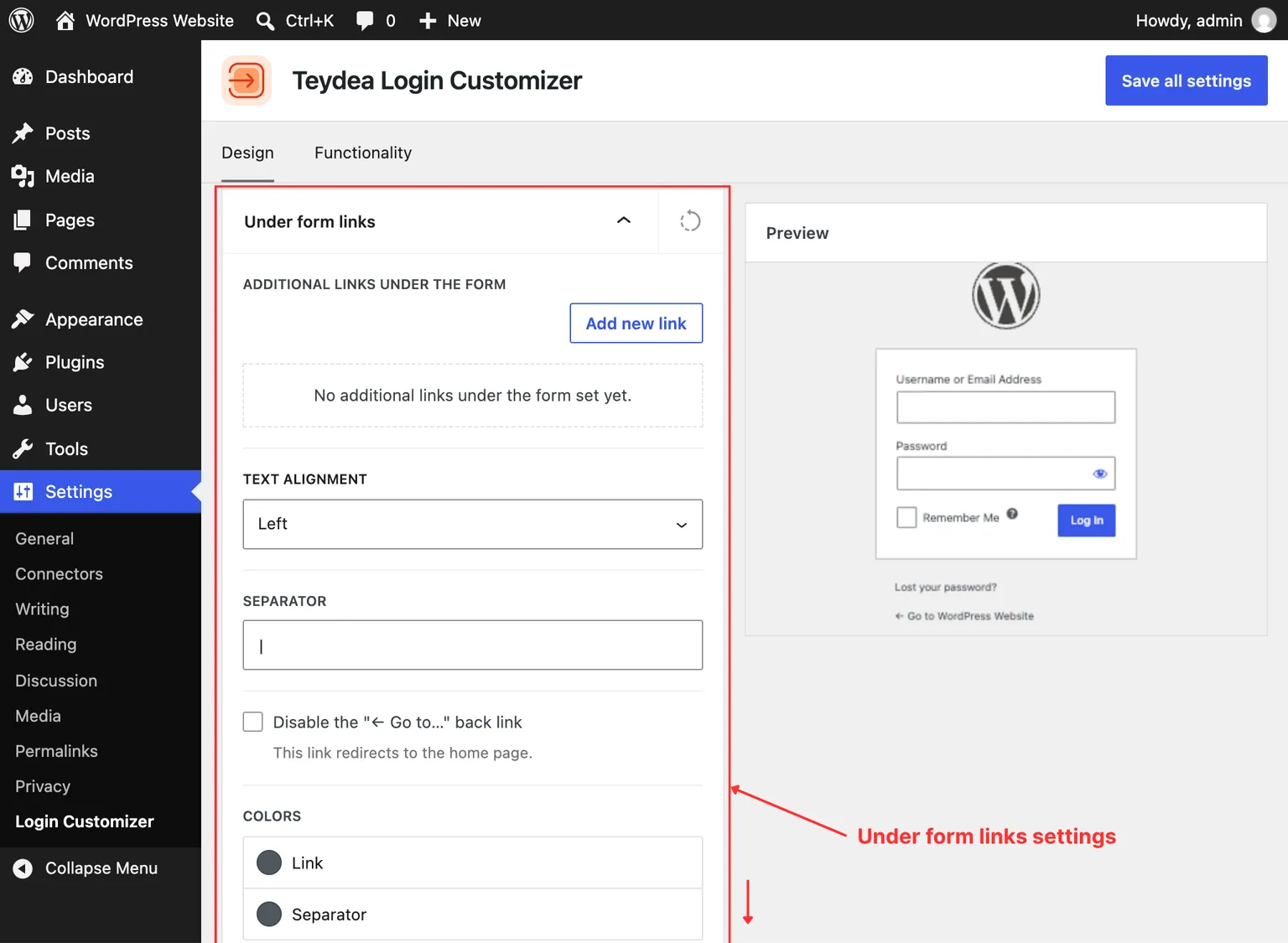
The under-form links are the navigation links that appear below the login form. By default, WordPress shows links like “Lost your password?” and a link back to the site. Teydea Login Customizer lets you style these links, change their separator, disable the back link, and add custom links.
Accessing Under-Form Link Settings
- Navigate to Settings → Login Customizer.
- Open the Under-form links panel in the Design tab.
Link Colors
Set the link color for three states:
- Normal — The default link color (default:
#50575e). - Hover — The color when hovering over a link.
- Focus — The color when a link has keyboard focus.
Typography
- Font family, font size, font weight, letter case, and line height — Control the appearance of all under-form link text.
- Text decoration — Choose none, underline, or line-through for the link style.
Separator
The Separator field controls the character displayed between links. The default is a pipe character (|). You can change it to any character or text, or leave it empty to remove the separator. The Separator color field sets the separator’s text color.
Disabling the Back Link
Toggle the Disable back link option to remove the “Back to [site name]” link that WordPress adds below the form. This is useful if you want a cleaner login page without a navigation link to the front end.
Link Alignment
Set the alignment of the under-form links area to left, center, or right.
Spacing
- Padding — Inner spacing within the links area.
- Margin — Outer spacing around the links area.
Box Shadow
Set a box shadow for the link area in normal, hover, and focus states.
Adding Custom Links
You can add extra links below the form alongside the default WordPress links.
- In the Under-form links panel, click the button to add a new link.
- Fill in the Link text and Link URL fields.
- Optionally, toggle Open in new tab to open the link in a new browser window.
- Click Save all settings to apply.
You can add multiple custom links. Each link appears in the under-form links area alongside the default WordPress links, separated by the configured separator character.