Documentation / Redirect Rules After Login
Redirect Rules After Login
Overview
By default, WordPress redirects users to the admin dashboard after login. The Redirect rules after login feature lets you define custom redirect destinations based on user roles or specific users. This is useful when you want different types of users to land on different pages.
Adding a Redirect Rule
- Navigate to Settings → Login Customizer.
- Open the Functionality tab.
- Expand the Redirect rules after login panel.
- Click Add new redirect rule.
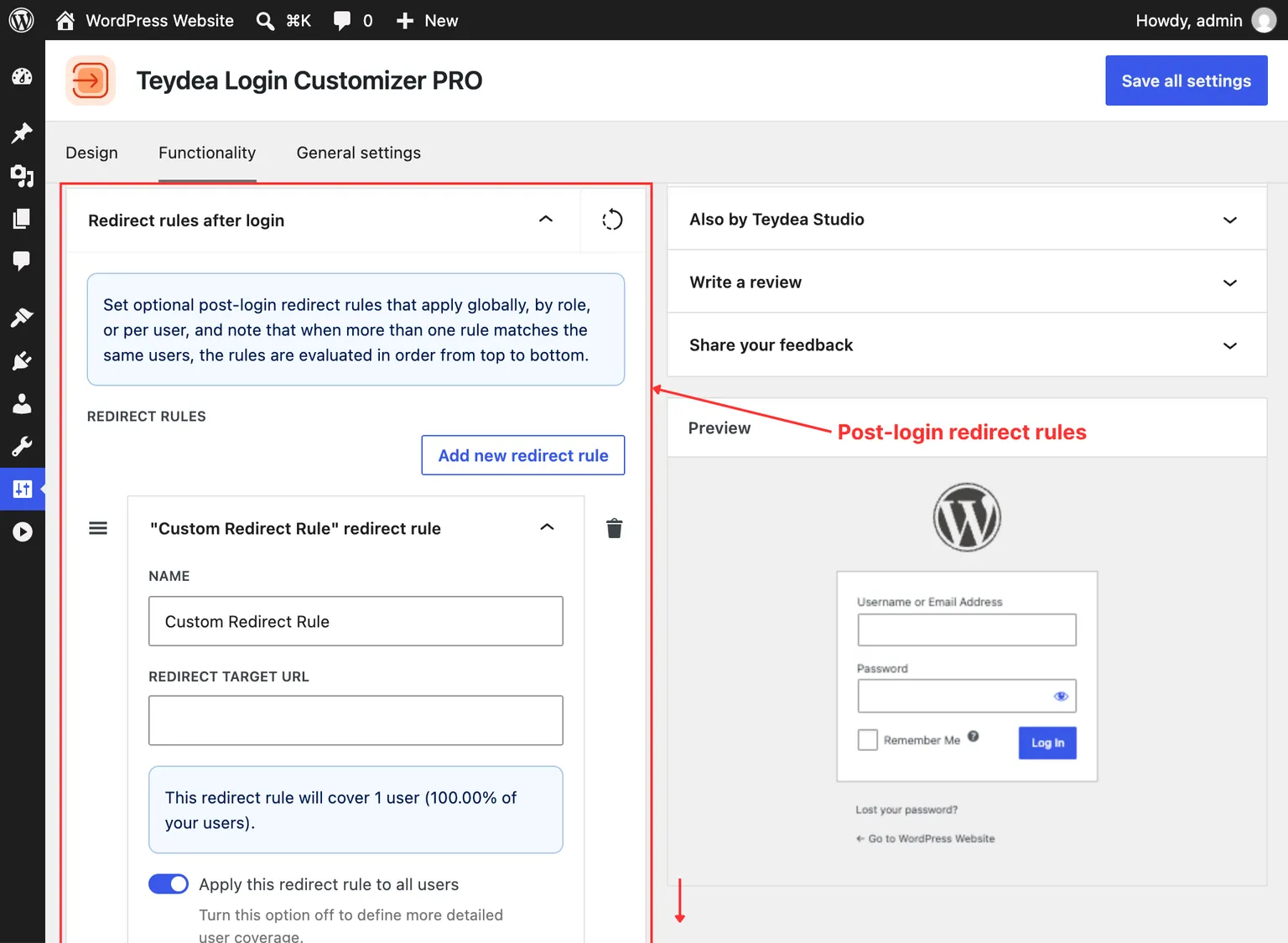
A new redirect rule panel appears with the following fields.
Configuring a Rule
Each redirect rule has three main settings:
Name
Give the rule a descriptive name for your own reference (for example, “Editors to Dashboard” or “Subscribers to Homepage”). This name appears in the rule’s panel heading.
Redirect Target URL
Enter the full URL where matching users should be sent after login. For example, https://yoursite.com/welcome or https://yoursite.com/wp-admin/edit.php.
User Coverage
Control which users this rule applies to:
- Apply this redirect rule to all users — When toggled on, every user who logs in matches this rule.
- Specific roles — When the “all users” toggle is off, a role selector appears. Search for and select one or more user roles (Administrator, Editor, Subscriber, etc.).
- Specific users — A user selector also appears, letting you target individual users by searching for their username.
Below the user coverage settings, an informational notice displays the number of users this rule covers and the percentage of your total user base.
Rule Evaluation Order
When multiple redirect rules exist, they are evaluated in order from top to bottom. The first rule that matches the logging-in user is applied. You can drag and drop rules to reorder them.
For example, if you have:
- A rule for Editors redirecting to
/editor-dashboard - A rule for all users redirecting to
/welcome
An Editor would be redirected to /editor-dashboard because that rule is evaluated first and matches.
Removing a Rule
To remove a redirect rule, click the delete button on the rule’s panel. Click Save all settings to confirm the removal.