Documentation / Functionality Options
Functionality Options
Overview
The Functionality tab provides options that affect the behavior of the login form rather than its appearance. These settings are found under the Miscellaneous panel.
Accessing Functionality Settings
- Navigate to Settings → Login Customizer.
- Click the Functionality tab at the top of the settings page.
- Open the Miscellaneous panel.
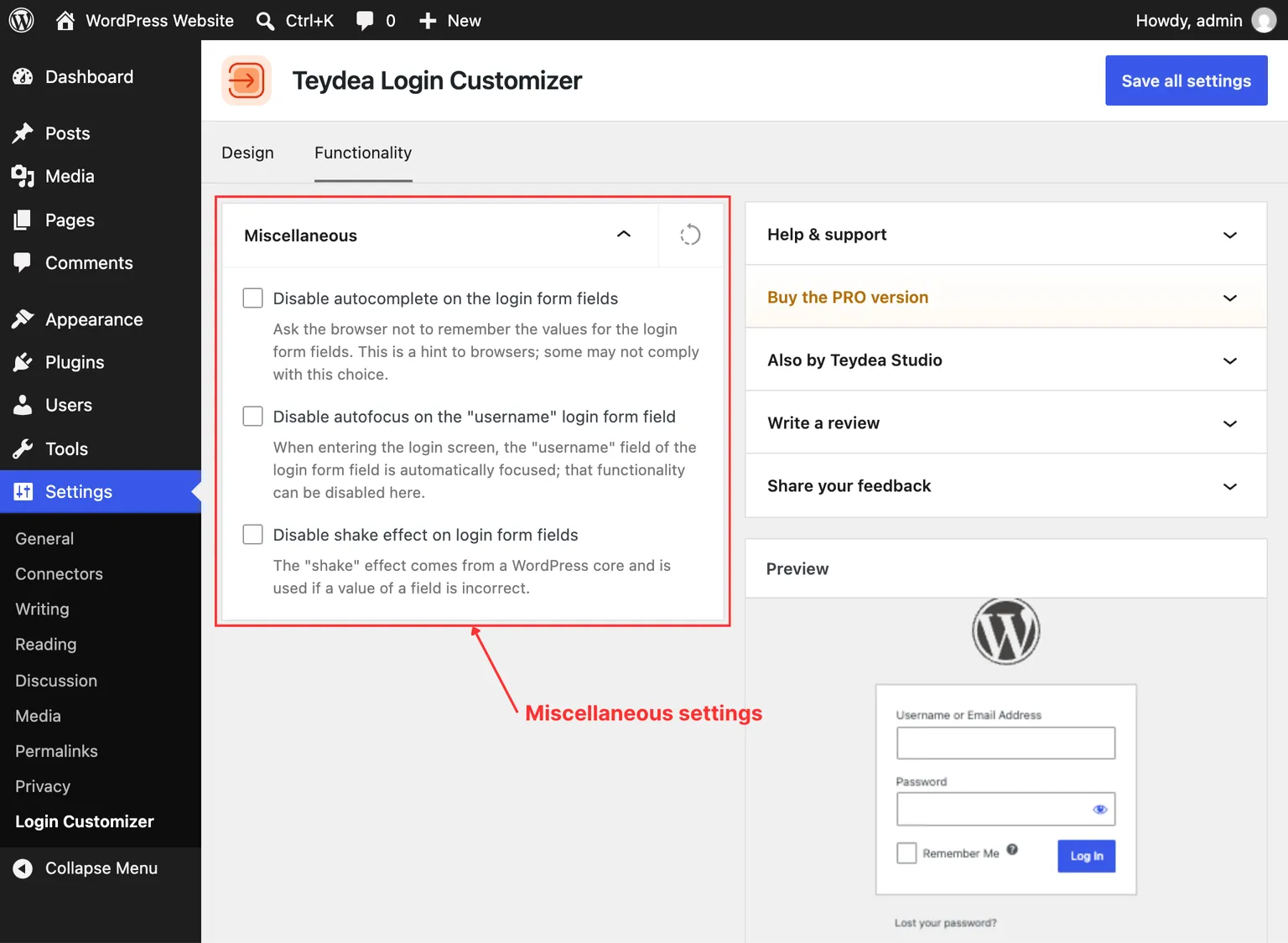
Disable Autofocus
By default, WordPress automatically places the cursor in the username field when the login page loads. This can be disruptive for users who navigate with a keyboard or screen reader, or who want to scroll the page first.
Toggle Disable autofocus to prevent the login form from automatically focusing the first input field on page load.
Disable Shake Effect
When a user enters incorrect login credentials, WordPress shakes the login form horizontally to indicate an error. Some administrators find this animation unnecessary or distracting.
Toggle Disable shake effect to stop the form from shaking when a login attempt fails. Error messages still appear normally — only the shake animation is removed.
Disable Autocomplete
Browsers often offer to autofill the username and password fields on the login page. In some environments (shared computers, kiosks), you may want to prevent this behavior.
Toggle Disable autocomplete to set the autocomplete="off" attribute on all input fields in the login form. This requests the browser not to offer autofill suggestions for those fields.
Note: Browser behavior varies. Some modern browsers may still offer autofill despite the autocomplete="off" attribute, as they consider password autofill a security feature that should be controlled by the user.
PRO Functionality Options (PRO)
The PRO version adds additional panels to the Functionality tab:
- Login URL — Replace the default
wp-login.phppath with a custom URL for added security. - Redirect rules after login — Configure where users are redirected after logging in, with support for targeting specific roles or individual users.