Documentation / Breached Password Screening (HaveIBeenPwned)
Breached Password Screening (HaveIBeenPwned)
Overview
The PRO version can screen user passwords against the HaveIBeenPwned “Pwned Passwords” corpus — hundreds of millions of passwords exposed in real-world data breaches. The service publishes its own privacy policy and API license terms. If a user tries to set a password that appears in that corpus, it is rejected, even if it satisfies your length and complexity rules.
Screening passwords against a breach corpus is a control called for by several security frameworks, including NIST SP 800-63B, CIS Controls, and the CJIS Security Policy. Enabling this feature can help you address that control, but it is one measure among many — it does not by itself make your site compliant with any particular standard, and this documentation is not legal or compliance advice.
How Your Passwords Stay Private
The check uses k-anonymity, so the full password is never sent to the HaveIBeenPwned API. Hashing and matching both happen on your server: the plugin hashes the password there, sends only the first five characters of that hash to the API, and compares the returned list against the rest of the hash. The complete password never leaves your site, and the browser does not perform the hash or the API request.
When Screening Runs
Screening applies at two moments:
- When a password is set or changed — at registration, on the profile screen, and during a password reset. A breached password is rejected before it is saved.
- At every sign-in through the WordPress login form — the password the user just signed in with is screened again. This is deliberate. A password that was clean when it was chosen can turn up in a breach published months later, so re-checking at sign-in is what catches an account whose password has since been compromised. Without it, a user would keep a known-breached password until they happened to change it. Sign-ins that bypass that form — application passwords, XML-RPC, and single sign-on or social-login plugins — are not screened, because the plugin never sees a password to check.
Because the check runs on each sign-in rather than reusing an earlier result, enabling this rule adds a screening step to every successful login through that form. That does not always mean a call to the API — the plugin caches the slice of the corpus it downloads, so many logins are screened against data your server already holds. One consequence is that a newly published breach is picked up once that cached slice next refreshes, within a day at most, rather than the instant it is published. When a call is needed and it cannot complete, the behavior you choose under “Handling API Outages” below decides what happens.
Enabling the Rule
The rule is configured per policy:
- Navigate to Settings → Login Security.
- In the Enabled rules section, enable Block passwords found in known data breaches (Pwned Passwords).
- Click Save all settings.
Below the toggle, a status indicator shows whether your server can currently reach the Pwned Passwords API, with a Retry option and a link to Open Site Health.
Handling API Outages
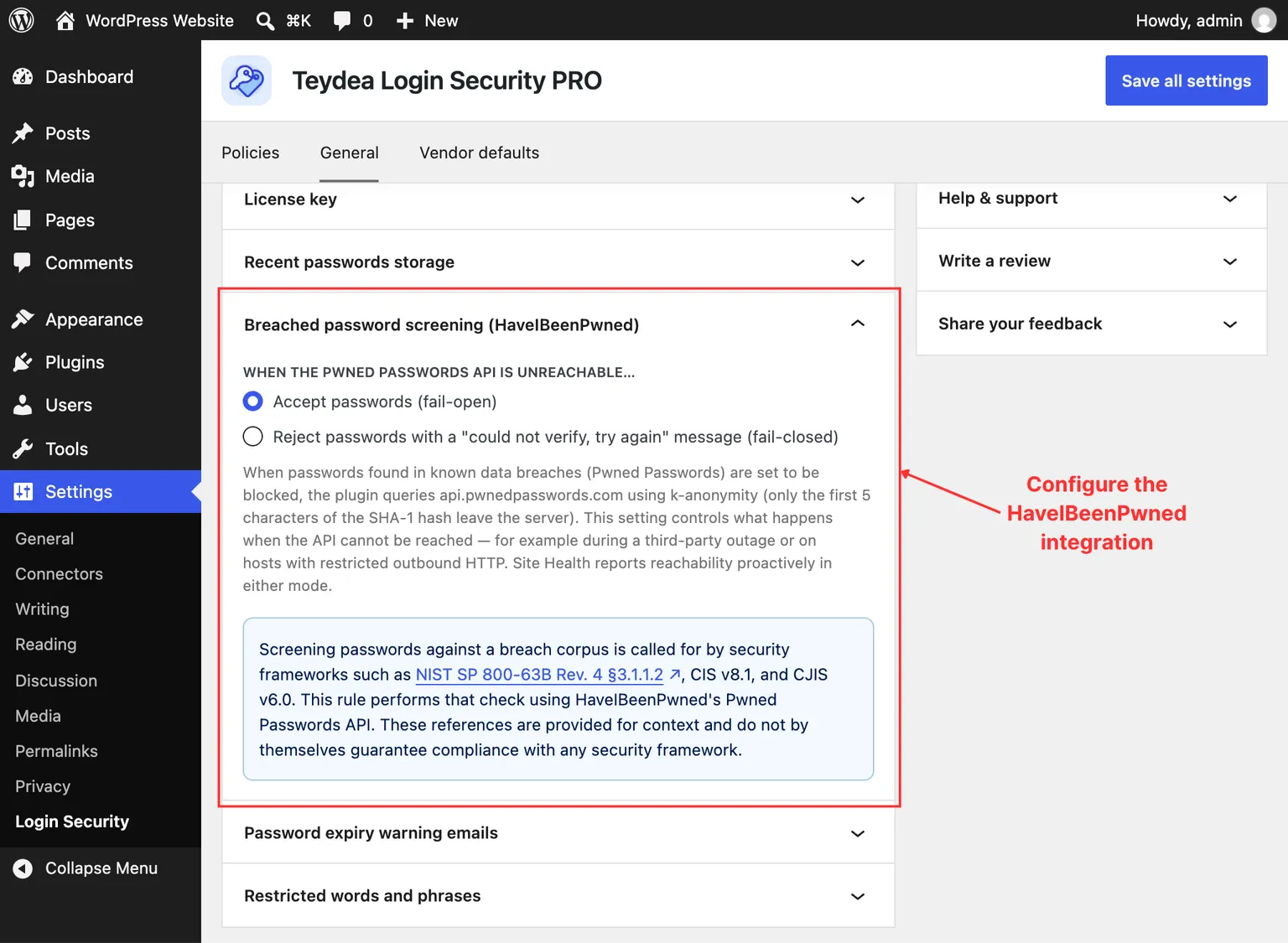
Because the check depends on an external service, you decide what happens when that service cannot be reached (for example, during a provider outage or on hosts that block outbound HTTP). On the General tab, in the Breached password screening (HaveIBeenPwned) panel, choose one of two behaviors:
- Accept passwords (fail-open) — passwords are allowed through when the API is unreachable. This is the default and avoids locking users out during an outage.
- Reject passwords with a “could not verify, try again” message (fail-closed) — passwords are blocked until the API can confirm they are not breached. Choose this when screening must never be silently skipped.
Site Health
The plugin adds a Pwned Passwords API reachable test to Tools → Site Health. It reports “Your site can reach the Pwned Passwords API” when connectivity is working, or a recommendation when it is not — including your current fail-open or fail-closed behavior — so you can catch connectivity problems before they affect users.