Documentation / Password Reuse Prevention
Password Reuse Prevention
Overview
The password reuse prevention feature stores hashes of each user’s recent passwords and blocks them from setting a password that matches any stored entry. This encourages users to create genuinely new passwords each time.
Enabling the Rule
- Navigate to Settings → Login Security.
- In the Enabled rules section, enable Prevent users from reusing their past passwords.
- Click Save all settings.
Configuring the Number of Stored Passwords
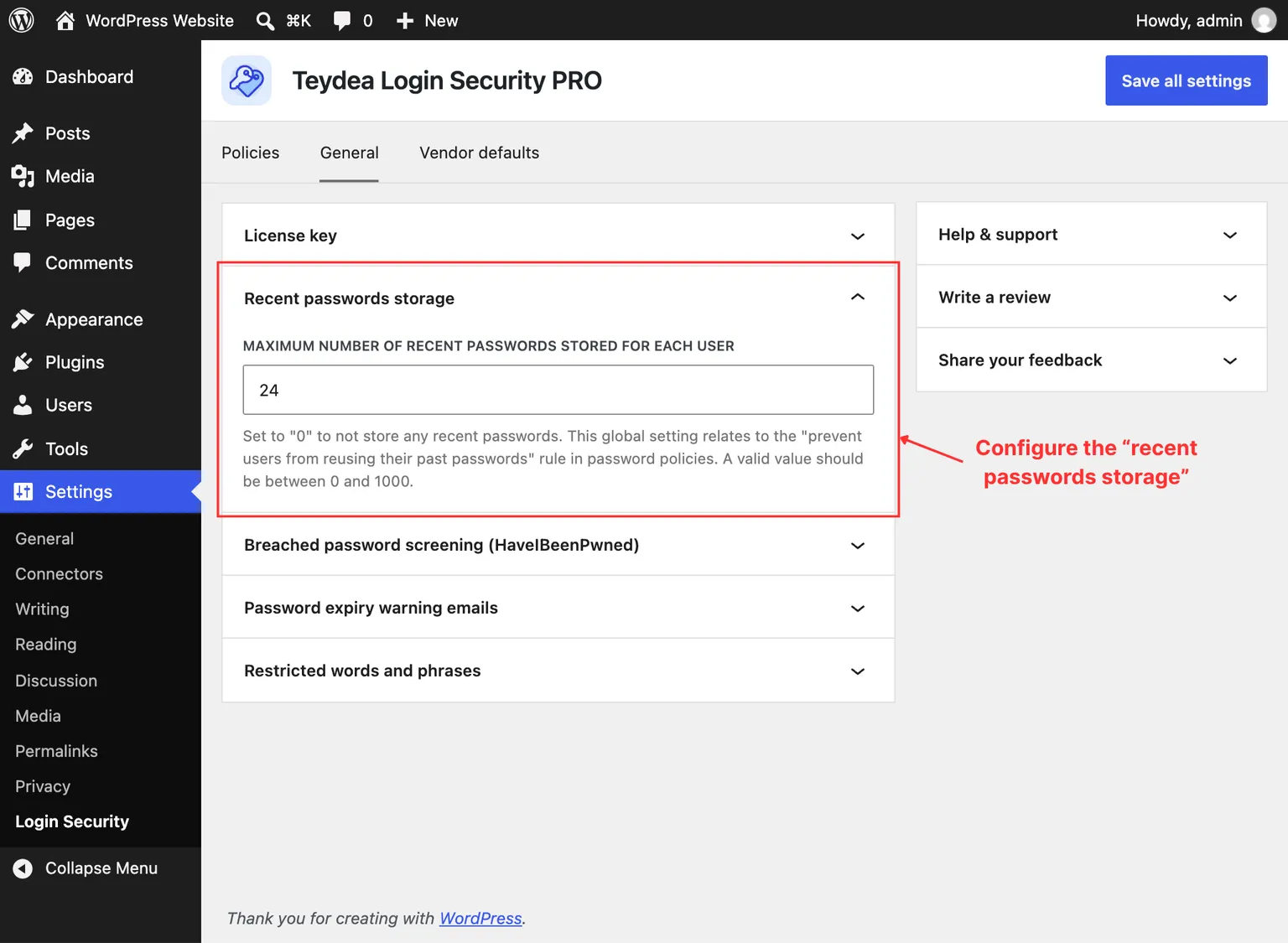
The number of recent passwords stored per user is a global setting, not a per-policy setting. To configure it:
- Navigate to Settings → Login Security.
- Click the General tab.
- In the Recent passwords storage panel, set the Maximum number of recent passwords stored for each user value.
- Click Save all settings.
The valid range is 0 to 1000. The default value is 24. Setting this to 0 disables password storage entirely, which means the reuse prevention rule has no effect even if enabled.
How It Works
When a user changes their password, the plugin:
- Hashes the new password using WordPress’s built-in password hashing function.
- Stores the hash in the user’s metadata.
- Maintains only the most recent passwords up to the configured limit.
When the user next tries to set a password, the plugin compares the candidate password against all stored hashes. If there is a match, the password change is rejected with an error message. The password hint also informs users that previously used passwords cannot be reused.
Past passwords are always stored as hashes, never in plain text.
Interaction with Minimum Password Age
The password reuse prevention feature works well in combination with the minimum password age rule. Without a minimum age, users could rapidly cycle through passwords to exhaust the stored history and then reuse a favorite password. Enabling a minimum age of a few days prevents this behavior.
Because the minimum age only restricts changes the user chooses to make, it steps aside when the plugin forces a reset — for an expired password, for example. Reuse prevention still applies in those cases, so a user completing a forced reset cannot fall back to a stored past password.