Documentation / Password Expiry Warning Emails
Password Expiry Warning Emails
Overview
When a policy enforces a maximum password age, passwords eventually expire and the user is redirected to reset them. The PRO version can warn users by email in the days leading up to expiry, so they can change their password on their own schedule instead of being caught out at login.
Warning emails are sent only to users covered by a policy that enforces the maximum password age. The subject and body are shared across all policies.
Enabling Warning Emails
- Navigate to Settings → Login Security and open the General tab.
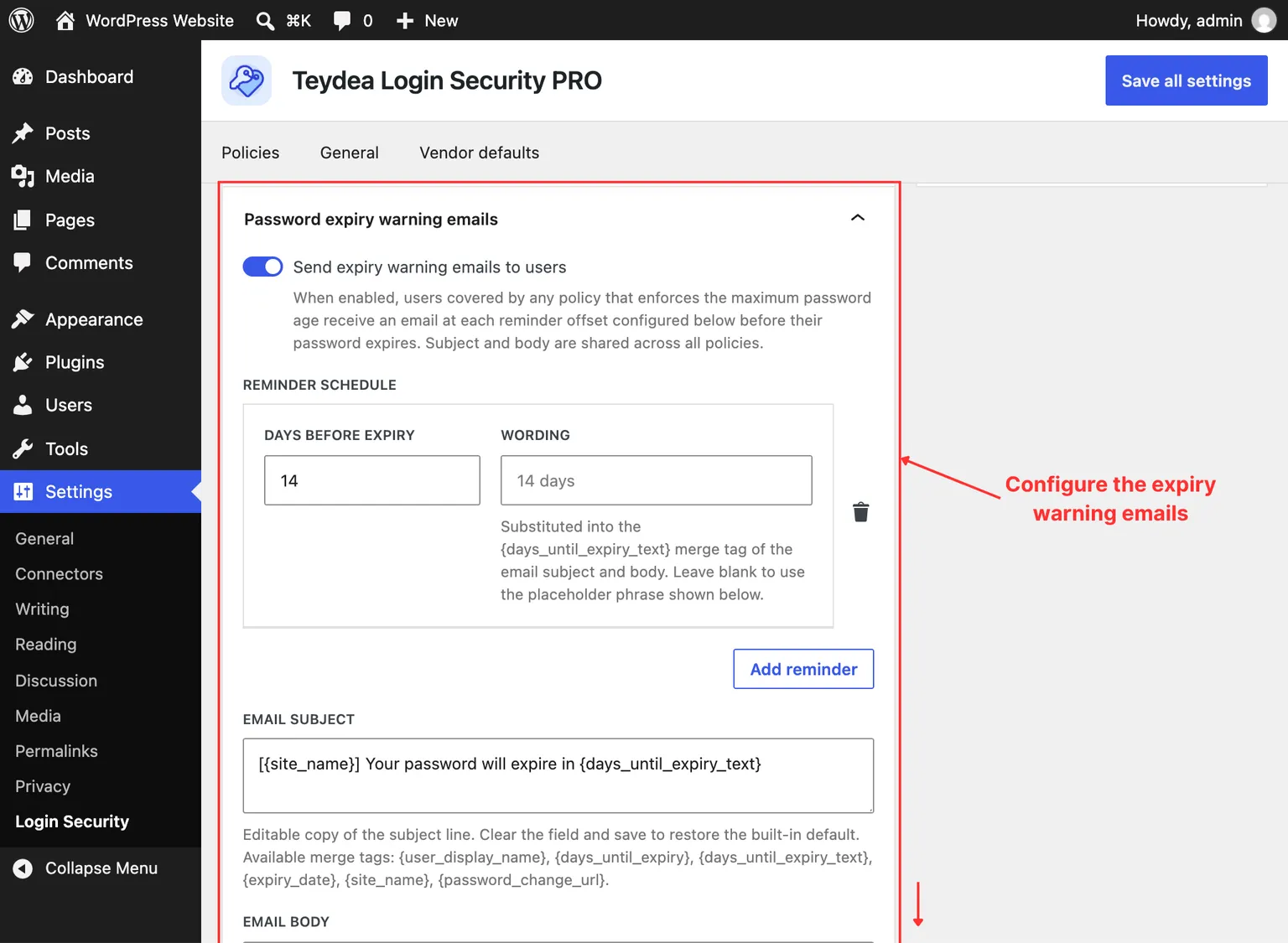
- In the Password expiry warning emails panel, enable Send expiry warning emails to users.
- Click Save all settings.
While the feature is off, the schedule, subject, and body controls are disabled.
Setting the Reminder Schedule
The Reminder schedule controls when emails go out, expressed as days before expiry. Each entry has:
- Days before expiry — how many days ahead of expiry to send this reminder.
- Wording — optional custom phrasing for this reminder, substituted into the
{days_until_expiry_text}merge tag. Leave it blank to use the default phrasing (for example, “7 days”).
Use Add reminder to add entries. The plugin ships with a default schedule of 14, 7, and 1 day before expiry. Each user receives at most one email per configured offset per password. If you clear the schedule entirely and save, no reminders are sent.
Customizing the Email
The Email subject and Email body fields let you tailor the message. Clear either field and save to restore the built-in default.
The following merge tags are available in both fields:
{user_display_name}— the recipient’s display name.{days_until_expiry}— the number of days remaining, as a number.{days_until_expiry_text}— the reminder’s wording (or the default phrasing).{expiry_date}— the date the password expires.{site_name}— your site’s name.{password_change_url}— a link the user can follow to change their password.
How Sending Works
A background task runs once a day and emails users who have crossed a configured reminder offset. Each reminder is sent only once per user per password, and the record resets when the user changes their password or their applicable policy changes.
On a multisite network, a user who belongs to several sites is evaluated across all of them: the plugin uses the policy with the soonest expiry deadline and sends a single reminder series network-wide, rather than one email per site.