Documentation / Length Rules
Length Rules
Overview
Password length rules control how short or long user passwords can be. You can enforce a minimum length, a maximum length, or both.
Minimum Password Length
When the Enforce the minimum password length rule is enabled, passwords must contain at least the specified number of characters.
Configuring Minimum Length
- Navigate to Settings → Login Security.
- In the Enabled rules section, enable Enforce the minimum password length.
- In the Rule settings section, set the Minimum password length value.
- Click Save all settings.
The valid range is 1 to 50 characters. The default value is 10.
Maximum Password Length
When the Enforce the maximum password length rule is enabled, passwords must not exceed the specified number of characters. Use it when passwords need to stay within a length your site, or a system you integrate with, accepts.
Configuring Maximum Length
- Navigate to Settings → Login Security.
- In the Enabled rules section, enable Enforce the maximum password length.
- In the Rule settings section, set the Maximum password length value.
- Click Save all settings.
The valid range is 64 to 512 characters. The default value is 256.
How Length is Enforced
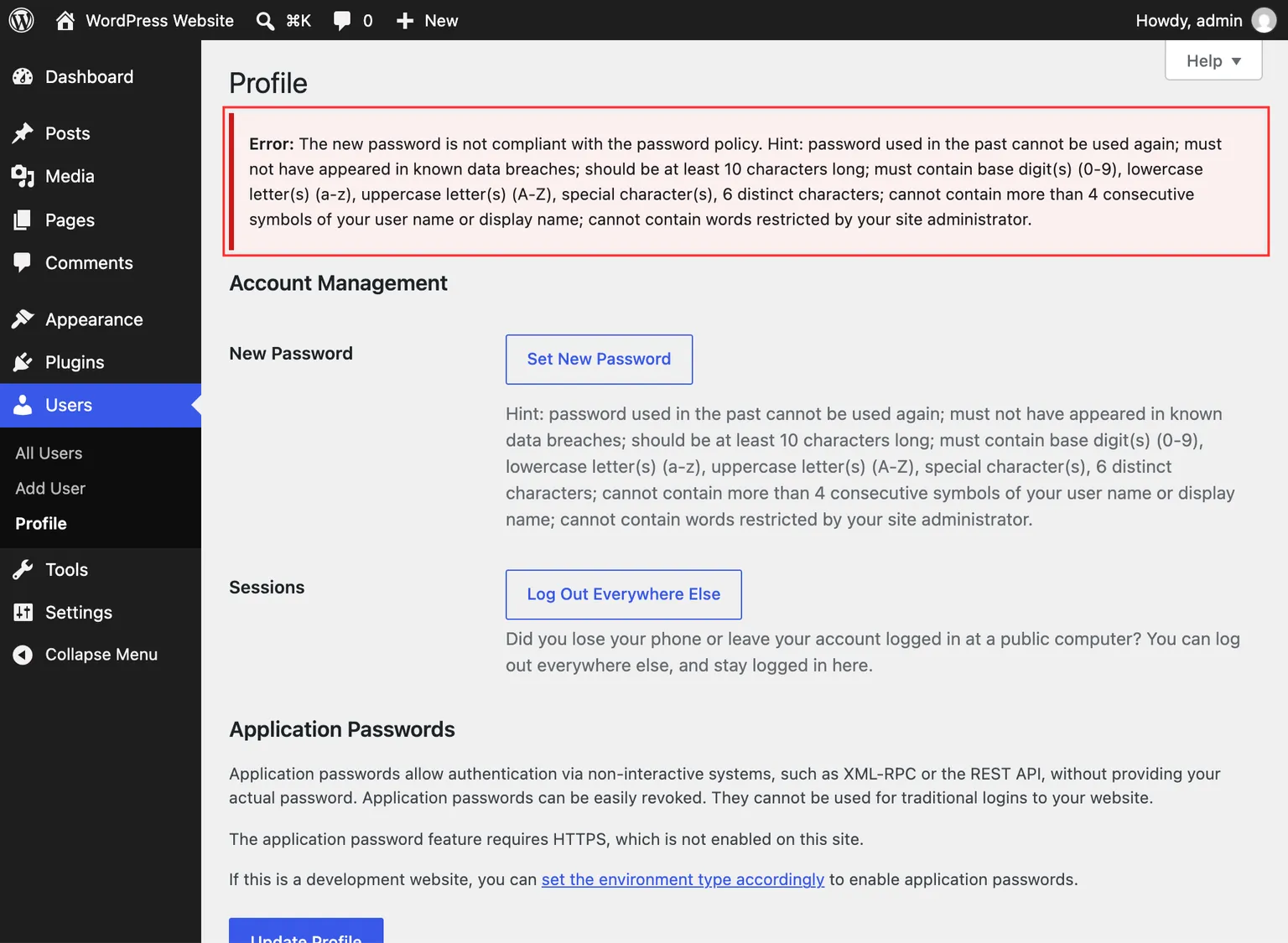
When a user sets or changes their password, the plugin checks the password length against the configured limits. If the password does not meet the requirements, an error message is displayed and the password change is rejected. The password hint also reflects the current length requirements.
Length is measured in characters, not bytes, so a password written with accented or non-Latin letters is measured on the same terms as an ASCII one — “hasło” is five characters. See Complexity Rules for how the same counting applies to the other rules.